Showing posts with label Art. Show all posts

Wednesday, 26 August 2015

Creative Block and me

Hey all! Creative block hits all kinds of areas, from writers, artists, animators, musicians and so forth. It's a shame when you really want to just make something and you have no inspiration or drive. It happens to me a lot, either I lose interest in my personal projects because I have no drive, or I just can't bring myself to actually start one. Right now, I have an idea for a Lore-Breaking Fallout video based around Cats and Deathclaws. I know what I want to do with it, I just can't find that push to do it. It's a shame, because I really think it would be a funny short, and would be instantly hated by the Fallout community, or loved by them for poking fun at the game we all like.
I have another project I'm slowly chipping away on which Alnwick North fans would enjoy, the successor to A Week In Barresdale, which I have created an Establishing shot for. I've got the episode planned out with sketches and everything, it's just sitting down to make them.
Then there is wanting to learn Toon Boom...

I've found that there are ways to get yourself into "the zone" through different methods. Sometimes just doing some exercise helps. It clears your mind for a while, lets you think solely on certain areas, like, if I'm on a treadmill or exercise bike, I tend to think about the progression of story in 30-60 second sketches so they don't drag on or end before you can grasp what's happening in the scene.
But on the flip side, I walk 2 miles to work, making a round trip of 4 miles, plus being on my feet for 8 hours. When I get home, I'm physically drained and just want to sit down for a while. Animating may not be physically demanding, but when you're tired, you feel mentally drained, too. I don't always feel like drawing. Sometimes I can, sometimes I can't. It's tough sometimes.

Music! I listen to a wide variety of music. From metal and rock to pop. Recently, I've been listening to a bit Hayley Orrantia (you may recognise her from The Goldbergs). When really getting into animation, I like to get some metal on. Epic guitar riffs like in Iron Maiden are great for keeping you going. Lighter stuff like Hayley Orrantia and a-ha work well when you're already under way. At least, that's how it works for me.

TV! Sometimes not animating and watching some TV works well. For A Week In Barresdale, I would watch The League of Gentlemen a lot, now I have that and the Scottish comedy Burnistoun, shows which are based around characters in the same town which rarely interact with characters from outside of their sketches, save for perhaps mentions in passing.

Even just cleaning your room can help. A tidy area leads to a tidy mind. Or play with your pets. It's a fun distraction which gives you mind a break, so when you come back to working on your project, you can feel a little refreshed.

I'll leave you with a little sneak peak at the establishing shot I mentioned earlier. It's a throwback to an old cartoon, so, can anyone guess which cartoon? It was towards the end of Alnwick North's run, so some of you may still remember it.

Be sure to follow the blog to keep up to date with what I'm doing!

Sunday, 16 March 2014

Movement Research and Research into Zombies

I planned on using Motion Capture data for my figurative animation but hit a few snags in that plan...
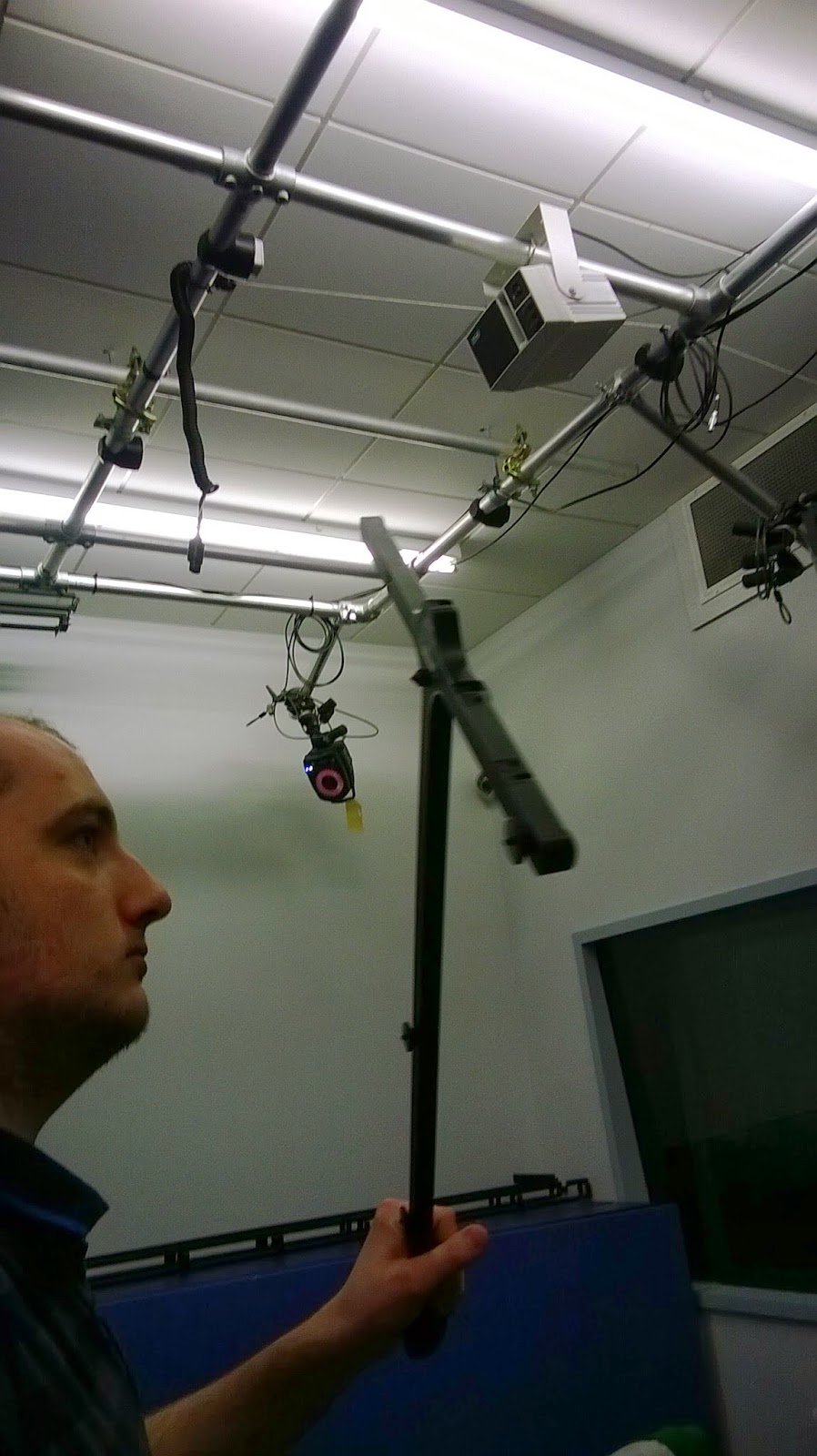
1, the Motion Capture room has been out of commission for some time. When we were told it was up and running again, a few of us went up to get some footage!


It wouldn't pick up data, however. It seems the cameras may have been pointed too low and they weren't able to collect enough data.

So we took some video footage to use!


Sadly, the cameras were recording at different frame rates, so when put into Max, they weren't synced up at all. Damn.


Zombie Reseach


Using the Zombie Survival Guide, I had some Physical information about Zombies which I used for acting as a zombie (in the above videos)


I also have a calendar themed on Zombies which give field notes from "Dr. Robert Twombly". Similar in style to what I got from the Zombie Survival Guide.


When I discovered that I couldn't really use the footage, I had to change my angle slightly. I planned on doing my animation in MotionBuilder (I find MB to be better for figurative animation) but the pipeline for taking a rigged character from Max in to MB, isn't as simple as from MB to Max. The way Max labels it's CAT rigs is different to how Motion Builder does it. To get it in to MB, I would have basically started rigging from scratch and renamed everything to the Motion Builder Pipeline. I didn't have enough time to do that, though, so I ended up having to use Max. I think Max is perfect for setting up controlled rigs and animating through that, for modelling environments. Interiors, props, things like that. But I prefer to animate within Motion Builder. It handles animation and motion capture data better, in my opinion. Besides, it's used in film and game for animation, where as Max isn't as much.

I did a Walk Cycle in Flash last year to use as motion reference for projects.

I turned to the other Survival book I have to help me with the motion research I would use for my final animations. The Animator's Survival Kit by Richard Williams.

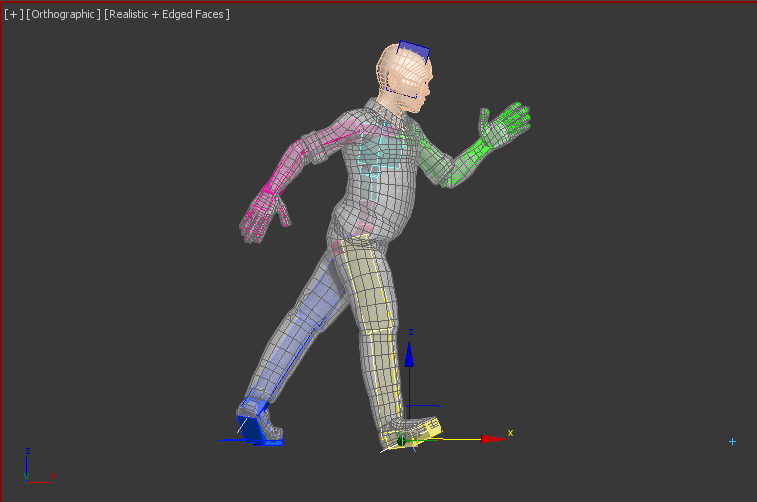
The Milt Kahl walk/strut/skip. I tried to emulate this in my walk cycle. It makes fantastic use of Squash/Stretch, arcs, timing and spacing to name but three. It results in a fantastically cartoon-y walk. You see this kind of strut in a lot of Disney films. I found it difficult to emulate in 3D, but I would like to try this walk more.
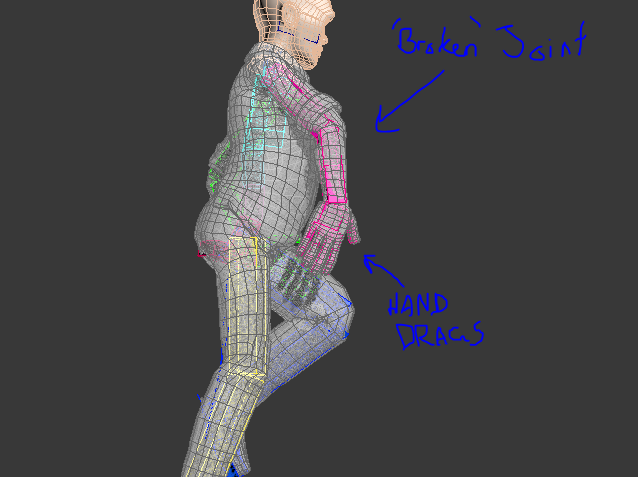
This image was my reference for the arcing, trailing hands and arms for the walk. I would really like to have more time to really nail this as it can look fantastic when done right.

These screen shots show how I went about the Milt Kahl walk.


The use of "broken" joints gives the character a little elasticity in his movements and really helps exaggerate his happy walking.


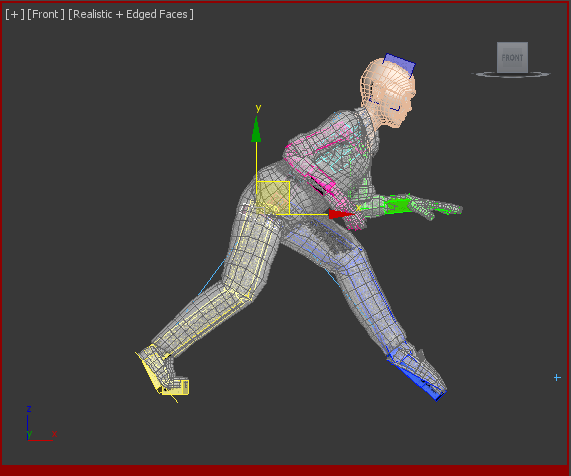
I also went to make a Sneak cycle. This uses a lot of weight and balance to get right and make convincing. The lead foot connects to the ground ALWAYS at a point, where as the trailing foot leaves arched.

Sneak Contact #1

Sneak Passing Position

Sneak Contact #2


 I tried to get a zombie walk made, too, but I was not impressed with the final result. There is a lot to keep track of when the character is dragging his foot like this. His balance and transference of weight is completely different to a normal walk.


When I tried making this walk/shuffle and I was adjusting the curves to remove some of the jumpy movements.

I used this video to help with my Jump animation:
https://www.youtube.com/watch?v=oiWoesDEXmU (I cannot find it on the Videos From Youtube searcher on my blog)


Some of the curve editing I had to fix on the Jump and landing portion. I used Easing extensively to give that explosive action.


Friday, 7 February 2014

Skeleton to CAT Rig

Something to bear in mind about the CAT rig is the amount of vertebrae  in the spinal column. This CAT rig is set with only about 7 sections. This is alter the smoothness in some movement, ie; bending over and back.
If I match the amount of bones on the CAT rig to around that of it's human counterpart, I should be able to recreate a very smooth arch in the back.
The picture I have attached here is a composite of the CAT and a skeleton. The RIG is slightly off, as I didn't make this RIG for the skeleton. It is the one I used in the Spiderman test. Something to note with Superheroes design is that they are often made much taller that "regular" humans. Their limbs are often slightly elongated, or in some circumstances, reduced.

Tuesday, 4 February 2014

Rigging a CAT rig


As I will be using 3Ds Max for animating the character, I went to Youtube, then to the 3D Studio channel. They have a whole heap of tutorials in their library. I will be using THIS video to help me with my Rigging.
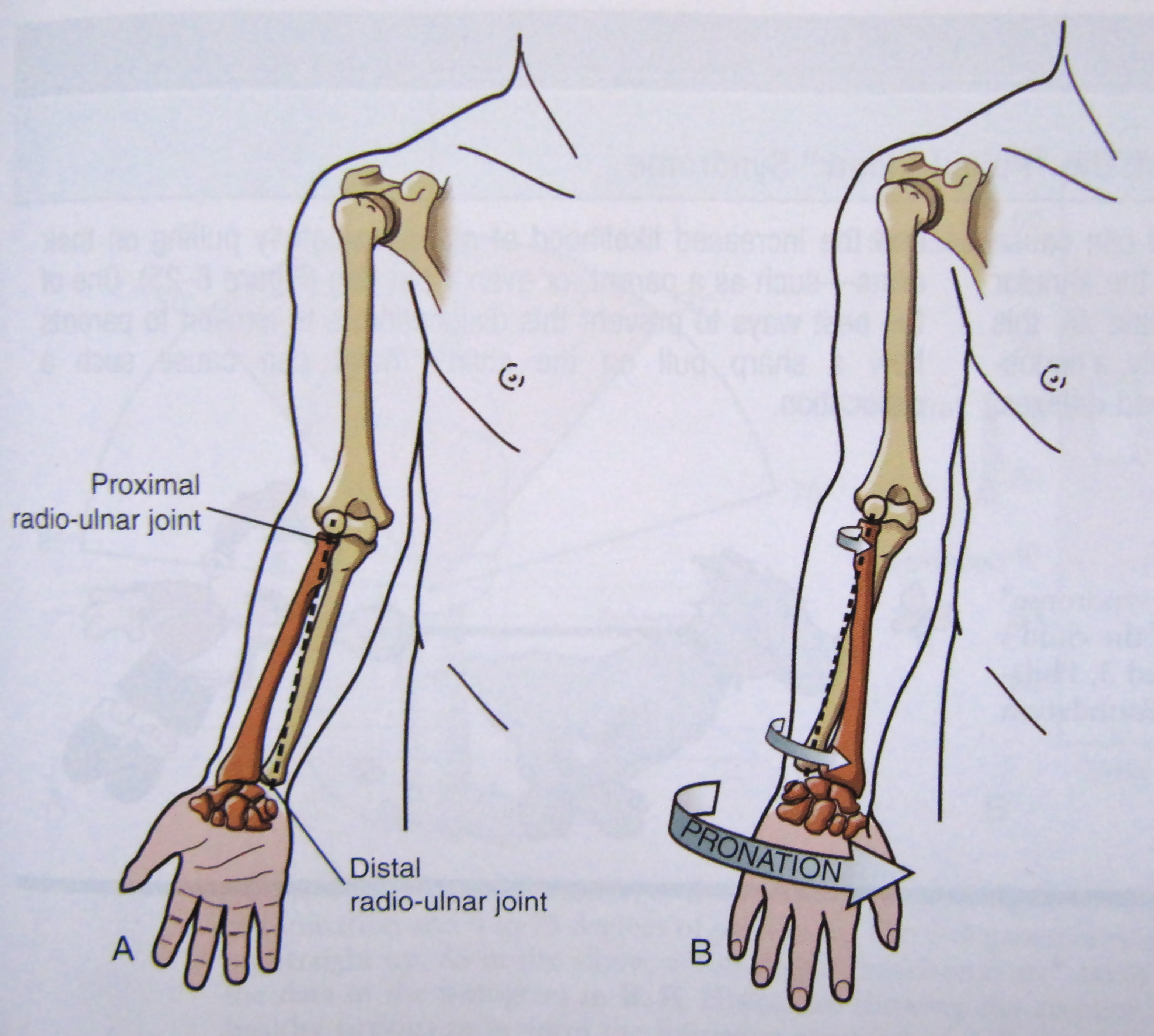
One change I will be making is by adding an extra "bone" to the forearm. This was a suggestion by my animation tutor. It stops the entire forearm from twisting when you rotate the wrist. Try rotating your wrist. See how very little of the forearm near the elbow twists? You could even argue that it is simply a muscle bulge making that area move. It's because by twisting your wrist, your Ulna and Radius are moving in your arm, along with the Carpus (wrist).
This image, from Doctor Bruce McFarlane's BLOG, ITTCS, shows how the Ulna (shown in RED) and the Radius bones move when the wrist rotates.
I will update this post with my CAT rigging attempt from following the 3D Studio tutorial, with the adjustment I mentioned.


UPDATE:
I have rigged and partially skinned a model. I have not altered the Envelopes, so there is a lot of strange action going on, like stretching and the thighs morph rather bizarrely.

I have also documented my process with a series of Screenshots.

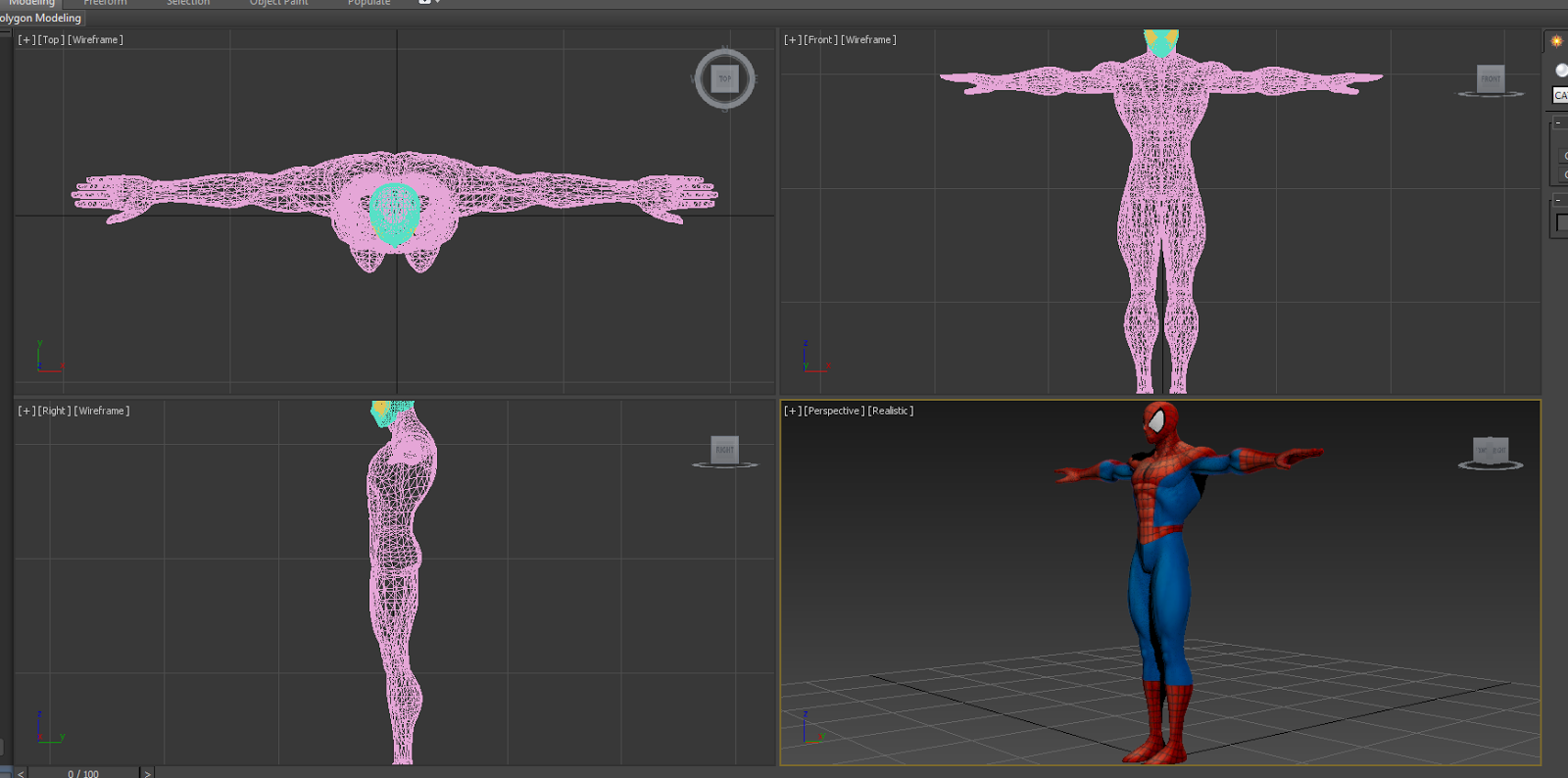
Firstly I opened the Mesh file up. Spiderman is stood in a Tpose

Selecting the Mesh, I pressed Alt + X to enable X-ray mode. I froze the mesh at this point for ease of rigging.

I created a Base Human CAT rig from the Helpers Section

In side view, aligned the rig with the meshes waist.

CATUnits Ratio alters the height of the rig. I renamed the rig Spiderman_ so all of the components would be names, for example, Spiderman_LeftFoot

I resized the waist to fill out the mesh and help aligning the legs. I also rotated it slightly. Using the Copy and Paste Mirror buttons, I placed the Legs. I also added an extra Bone to the feet. As the model is wearing boots, I don't need to make all five toes.

I align the spine and neck to follow shape of the mesh. Moving the ribcage resizes the spine bones automatically, as does the head with the neck bones.

I resize the ribcage to better fill out the mesh. This will help when it comes to setting the enveloping areas of skinning.

Aligning the arms, I moved the collarbone slightly, then began setting the arms. I added the five digits to the hand and resized them using my own hand for reference, lining up the knuckles. I added an extra section on the forearm to represent the Ulna and Radius bones.

Copy and Paste Mirror to set the other arm.

This is how the mesh and model look when combined. I select the mesh, then apply a Skin Modifier.

I use the Spiderman_Pelvis selection as my bones, then Ctrl+C to select all of the Children files within. This contains all of the bones I need, leaving out the Footpads and the main selector (the triangle with the arrow).
As the mesh is separated for the neck, head and the eyes, I do the same with them. Without this, those sections will not be animated.

As noted above, there are lots of things to be corrected. I have just uploaded this to show my working so far. My next steps will be to adjust the enveloping sections to correct the stretching.

I used the Motion section to animate Spiderman with a Sneaking animation. I have hidden the rig contained within.

L5 - ANIMATION AND SIMULATION

I've put together a Gantt Chart to help me complete my work. In the past, I've not done this (apart from in the VFX piece in semester 1), so I've made a point to get this done.
It only goes to Week 6, as the semester is split in two for this module. Week 1-6 is set for the animation, then the second half is for the Simulation part. Instead of a week 6 presentation, we are doing weekly updates in the lectures on Monday, making week 6 a final piece hand in.


For researching human anatomy, I am making use of the Leeds Met library. I currently have booked out a book on Improvisation and performance by dancer and choreographer Miranda Tufnell and Chris Crickmay. The book is called Body, Space, Image.

I chose to use this book as it features some fantastic photos of performers contorting their bodies in dance routines, showing what the human body can do, and anatomical images of the human body. 

I will be looking at other books and resources online to help, along with footage shot by myself.

Tuesday, 7 January 2014

Michel Gagne is awesome.

http://www.gagneint.com/Final%20site/Animation/irongiant/Iron_Giant_main.htm

Some behind the scenes stuff of his work on The Iron Giant (1999) - which is one of my favourite 2D animated films.
This link shows work of the "Dome Of Doom" - where the giant launches a ball of plasma(?) energy out over the sea when he is attacked by the (evil) humans! BOO! HISS!

Saturday, 14 December 2013