I managed to get my Performance Capture project completed!
Acted by myself (The final sequence) and Richard Nash. The male character is completely Key Frame animated, using my own actions and the Motion Capture footage as reference.
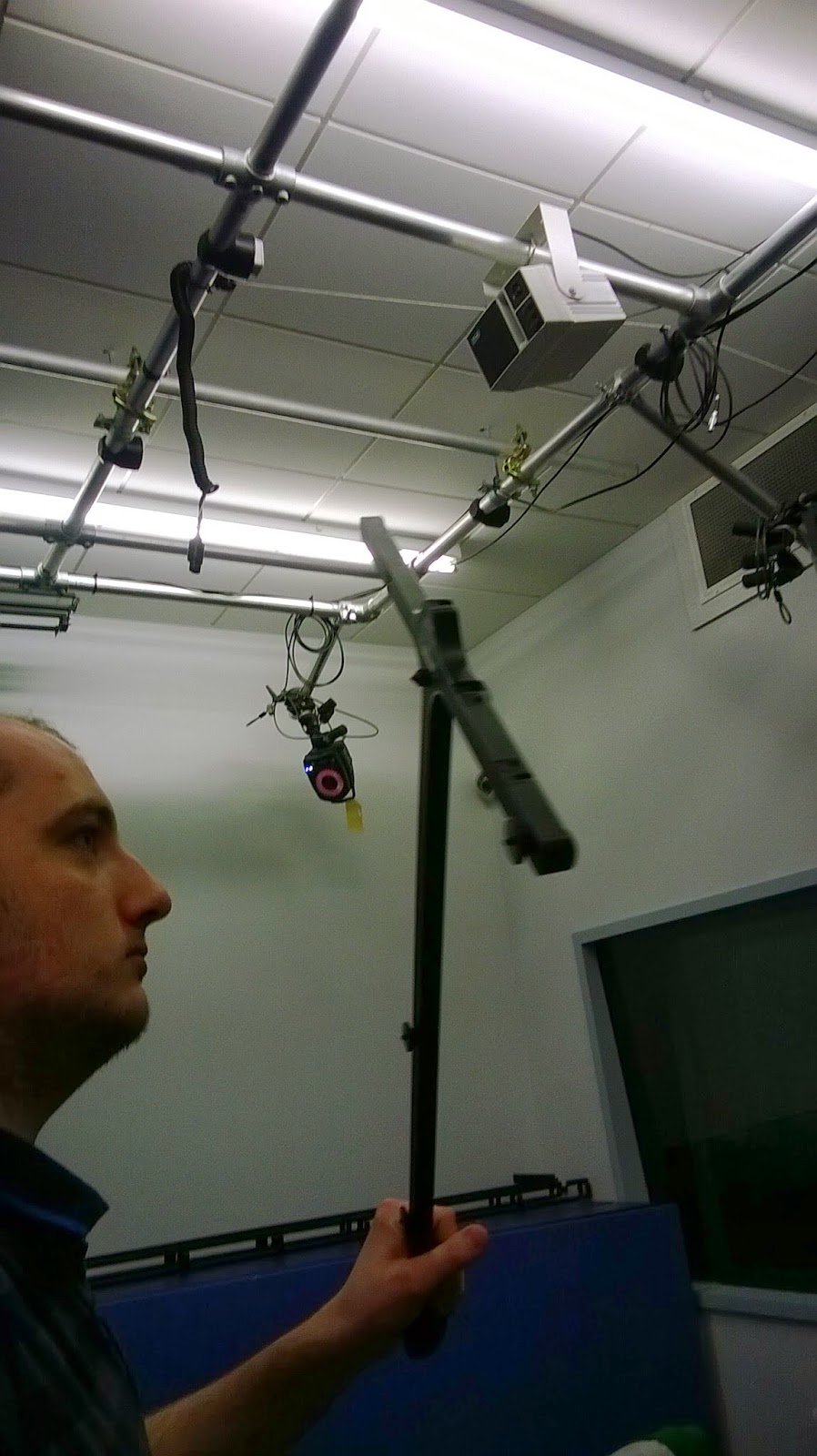
A collection of photos from the various attempts at getting our footage.
A couple videos James Ruston (http://foreverrendering.wordpress.com/author/foreverrendering/) shot during one of the sessions. MAY REQUIRE A FACEBOOK ACCOUNT
We had a lot of trouble getting our footage, but we finally figured out why... We had been adding a new solver each time we filmed a take. This was bogging down the system and making it crash. Once we fixed that issue, we were able to get our footage no problem. James and I even went as far as shooting some extra takes to work on over the Summer, so be sure to check back for those!
In Motionbuilder, I blended the clips together which would allow model to act out all of the clips in what looks like one go.
The can had a constraint added to it, which would keep it linked to the character's hand for as long as the constraint was active in the timeline.
I found a couple free models online and used them, rather than the Aragor and Maya models. I wanted the characters to look like they were in a dance hall or a club. I was not able to find any suitable scenes to use in Motionbuilder, and time was not on my side to be able to model one.
The keyframe character, I wanted to look quite cocky and "Hey, look at me!" so his walk was very pelvis first, making his weight have to rotate around his hips. This was something I had picked up in the Animator's Survival Kit.
I planned on using Motion Capture data for my figurative animation but hit a few snags in that plan...
1, the Motion Capture room has been out of commission for some time. When we were told it was up and running again, a few of us went up to get some footage!
It wouldn't pick up data, however. It seems the cameras may have been pointed too low and they weren't able to collect enough data.
So we took some video footage to use!
Sadly, the cameras were recording at different frame rates, so when put into Max, they weren't synced up at all. Damn.
Zombie Reseach
Using the Zombie Survival Guide, I had some Physical information about Zombies which I used for acting as a zombie (in the above videos)
I also have a calendar themed on Zombies which give field notes from "Dr. Robert Twombly". Similar in style to what I got from the Zombie Survival Guide.
When I discovered that I couldn't really use the footage, I had to change my angle slightly. I planned on doing my animation in MotionBuilder (I find MB to be better for figurative animation) but the pipeline for taking a rigged character from Max in to MB, isn't as simple as from MB to Max. The way Max labels it's CAT rigs is different to how Motion Builder does it. To get it in to MB, I would have basically started rigging from scratch and renamed everything to the Motion Builder Pipeline. I didn't have enough time to do that, though, so I ended up having to use Max. I think Max is perfect for setting up controlled rigs and animating through that, for modelling environments. Interiors, props, things like that. But I prefer to animate within Motion Builder. It handles animation and motion capture data better, in my opinion. Besides, it's used in film and game for animation, where as Max isn't as much.
I did a Walk Cycle in Flash last year to use as motion reference for projects.
I turned to the other Survival book I have to help me with the motion research I would use for my final animations. The Animator's Survival Kit by Richard Williams.
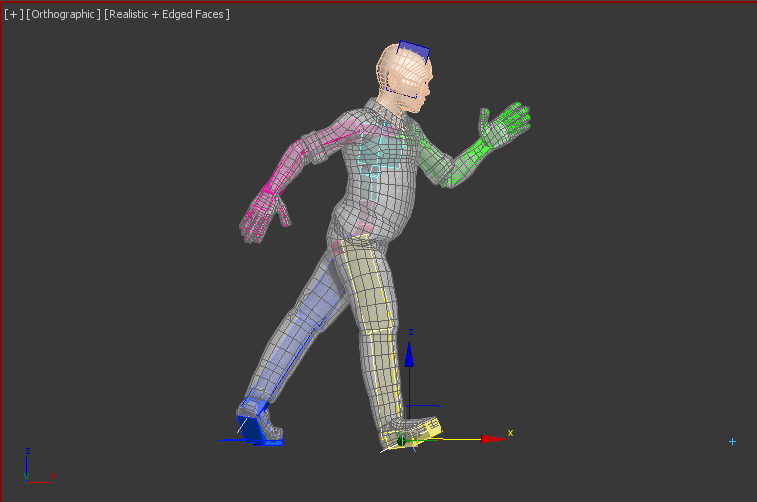
The Milt Kahl walk/strut/skip. I tried to emulate this in my walk cycle. It makes fantastic use of Squash/Stretch, arcs, timing and spacing to name but three. It results in a fantastically cartoon-y walk. You see this kind of strut in a lot of Disney films. I found it difficult to emulate in 3D, but I would like to try this walk more.
This image was my reference for the arcing, trailing hands and arms for the walk. I would really like to have more time to really nail this as it can look fantastic when done right.
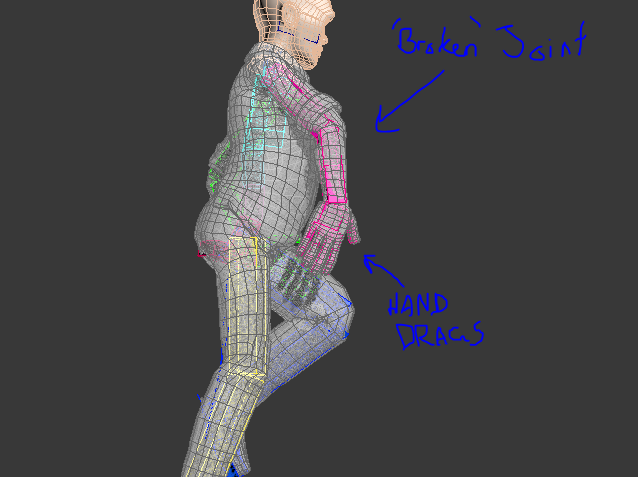
These screen shots show how I went about the Milt Kahl walk.
The use of "broken" joints gives the character a little elasticity in his movements and really helps exaggerate his happy walking.
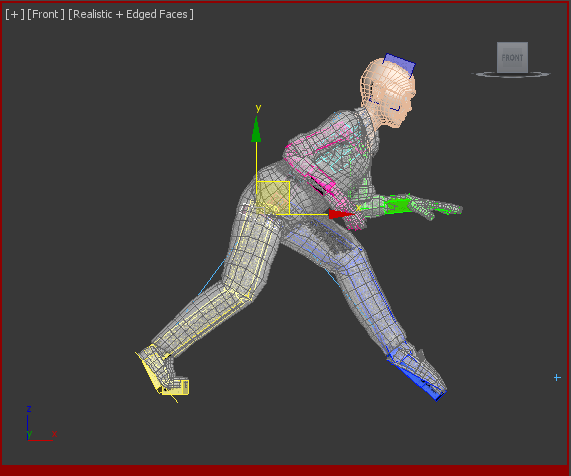
I also went to make a Sneak cycle. This uses a lot of weight and balance to get right and make convincing. The lead foot connects to the ground ALWAYS at a point, where as the trailing foot leaves arched.
Sneak Contact #1
Sneak Passing Position
Sneak Contact #2
I tried to get a zombie walk made, too, but I was not impressed with the final result. There is a lot to keep track of when the character is dragging his foot like this. His balance and transference of weight is completely different to a normal walk.
When I tried making this walk/shuffle and I was adjusting the curves to remove some of the jumpy movements.
I used this video to help with my Jump animation:
https://www.youtube.com/watch?v=oiWoesDEXmU (I cannot find it on the Videos From Youtube searcher on my blog)
Some of the curve editing I had to fix on the Jump and landing portion. I used Easing extensively to give that explosive action.
Following a tutorial given to me by my lecturer, I have combined clips and joined them together using Autodesk Motionbuilder.
Within the tutorial I blended clips together, like how I did in a previous tutorial. I also matched another clip to the model's right foot and it lines the clips up, making the second clip (the animation along the green line) follow on perfectly.
For the final piece, these steps will be used with the Motion Capture data to join them into one cohesive clip.
The clips within the timeline are two different colours showing the two clips used. There is a white X in an area of the Red clips which shows the blending of the first animation. They needed blending as the path was skewed and the animation at that point "jumps". Between the red and yellow clips, I match the animation to the right foot. This allows the animation to flow straight to it.